
Note Sharing for Multiple Farms
Your notes, now across every farm you work with. When you're working with multiple farms, your notes are often your most reliable reference in the field, they capture what you've seen and what you want to follow up on.
What this means in practice
Working across multiple farms, you start to see how observations relate to each other, patterns that aren't visible within a single farm.
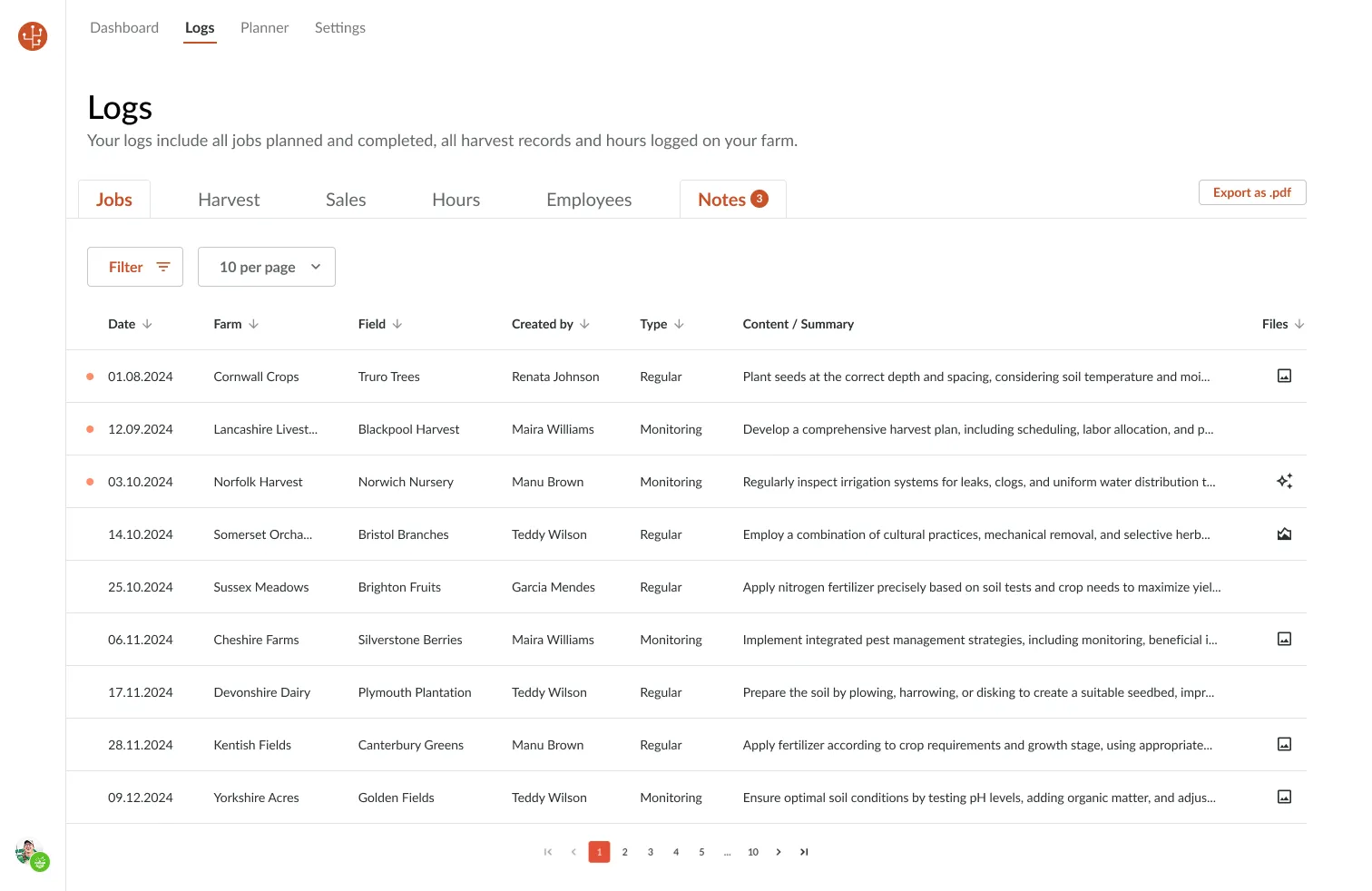
Review observations from different farms in one place
Every regular and monitoring note from your connected farms, aggregated in the Logs → Notes tab. Filter by date, farm, field, author, or note type to find exactly what you need.
IPM notes that scale across your network
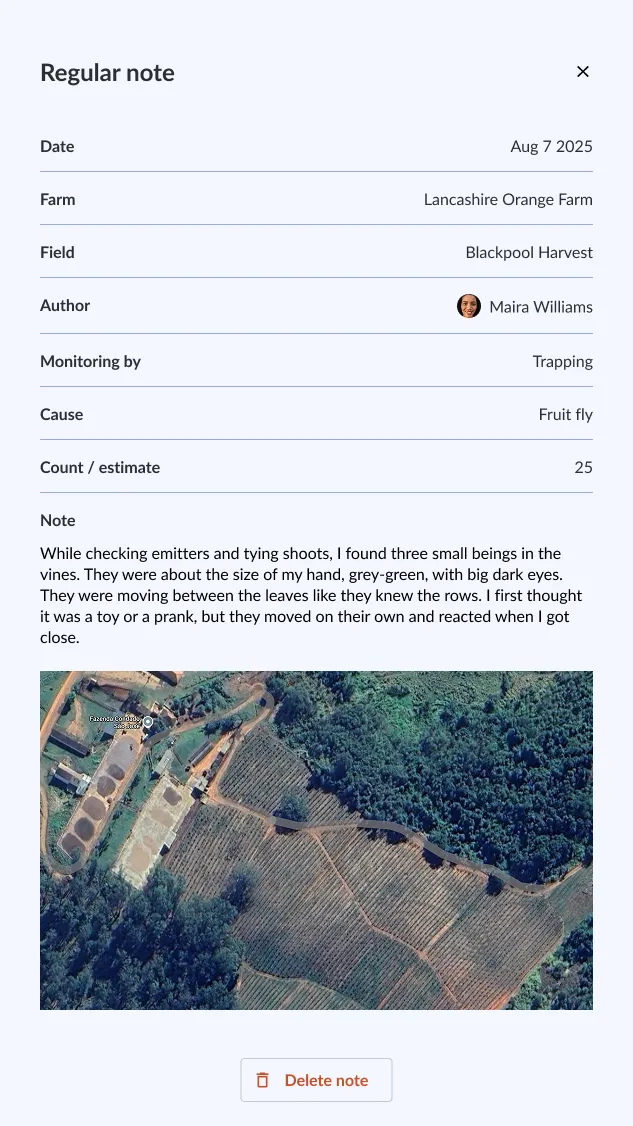
Revisit notes without switching between farms. Each note keeps the detail captured in the field:
- Photos and visual evidence
- GPS location, field and block
- Timing, author and comments from your team
Spot patterns across your network
When notes from every farm sit side by side, you start to see:
- Similar issues appearing in different locations
- Differences in timing between blocks
- Trends that aren't visible within a single farm
How to access it
Open Enterprise → Logs → Notes to see a combined view of every regular and monitoring note from all your connected farms.
Note Sharing is included in Farmable Enterprise. Already an Enterprise customer? If things are not working as they should, reach out to [email protected].
Monitoring Solutions for IPM: FAQs
Common questions about IPM monitoring across multiple farms.
For advisors and cooperatives managing multiple farms, Farmable Enterprise provides a centralised notes feed aggregating every scouting and monitoring note from all connected farms. You can filter by farm, field, pest type, or note author to review observations across your entire network from a single screen.
See Farmable Enterprise in Action
Used by cooperatives, packhouses, and advisory firms managing multiple farms across 18 countries.