
From harvest to invoice.
Revenue tracked by field.
Log every sale against the field and variety it came from. See revenue per block, compare buyers and varieties over seasons, and close the loop from harvest to profitability - without spreadsheets.

Most growers know their total revenue. Few know which field earned it.
Sales data usually lives in one place, harvest data in another, and field records in a third. The total at the bottom of the bank statement is the only number anyone agrees on - and it can't tell you which block to replant.
Totals only. No field breakdown.
- •One revenue number for the whole farm
- •No way to compare varieties or blocks
- •Buyer history scattered across emails and invoices
- •Profitability is a gut feeling, not a number
Storage, sales and revenue in one place.
- •Harvest entries become storage batches automatically
- •Register sales from the mobile app - customer, volume, price/kg
- •Sales deduct from storage in real time
- •Sales dashboard in the Web Portal: volume, customer, field, year
Sales. Revenue. Profitability. All connected to the field.

Harvest, sell and track - all from the app.
Record the harvest in the field, register the sale to your customer, and see every transaction with running totals. Storage stays current automatically.

Every harvest entry creates a batch in storage - grouped by variety, field and day.
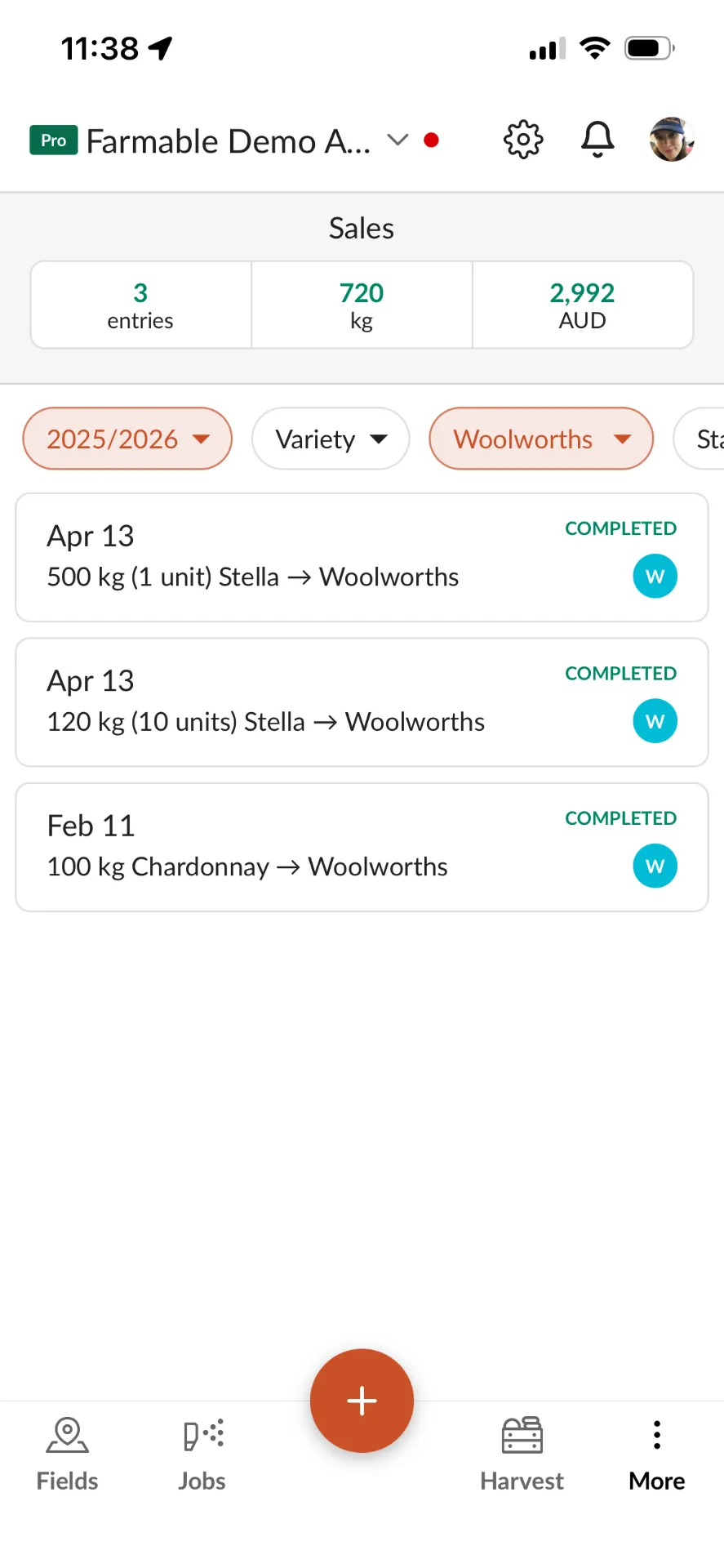
See every sale by season, variety and customer with running totals for entries, volume and revenue.

Register the customer, variety, batches, volume and price. Storage is deducted automatically.
Which blocks are worth replanting?
Field profitability comes from three numbers working together: Sales Revenue from Sales Management, Labour Costs from Teams & Timesheets, and Input Costs from product usage and prices. Farmable brings all three together so next season's decisions are based on evidence, not intuition.
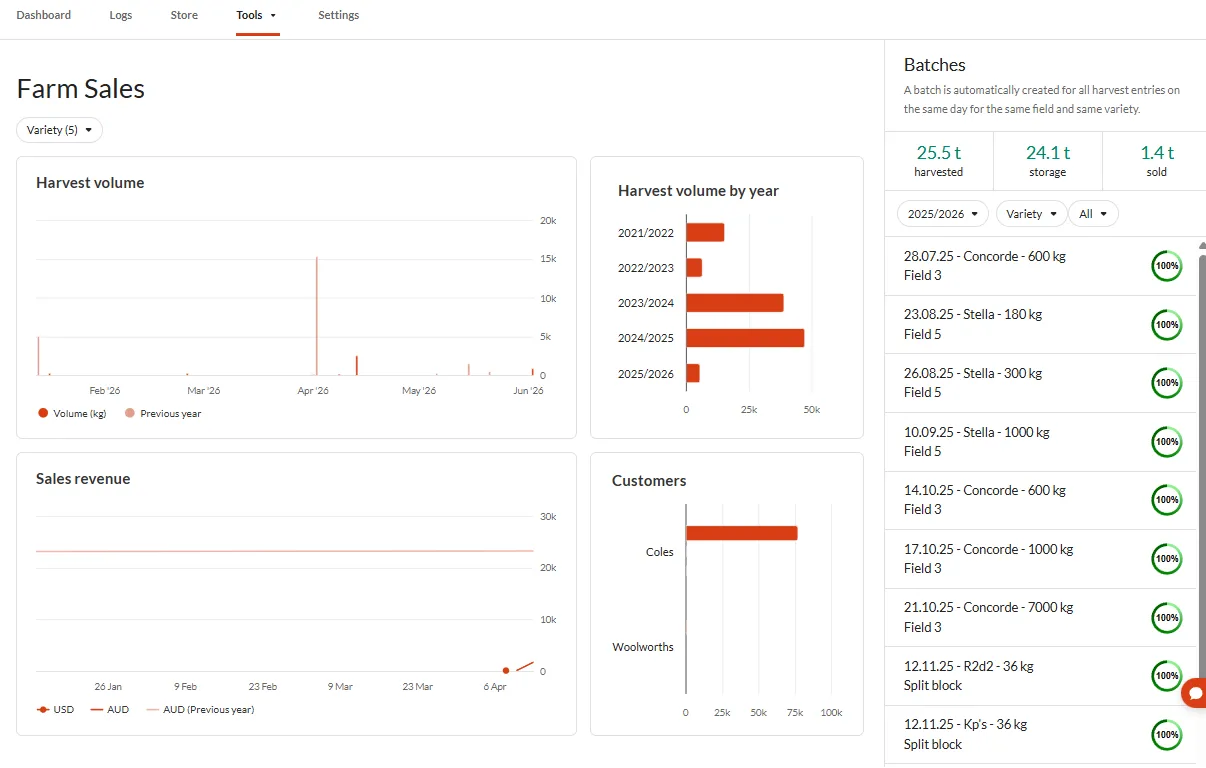
Profitability, down to the field level.

An essential tool for understanding the profitability of our farm down to the field level.
Pål Audun Høyen, Apple and Berry Grower, Norway
Read the full story →Sales management questions
Sales Management is an add-on module. Once activated, you unlock the Sales dashboard in the Web Portal and the sales registration features in the mobile app.