

Davis Weather Stations + Farmable: Live Weather Data for Spray Compliance
By Lars Petter Blikom
TL;DR
- Connect an existing Davis WeatherLink account to Farmable in three steps, no new hardware required if you already own a station
- Get live wind-drift warnings and an automatically calculated Delta-T reading during every spray job, not just a forecast checked beforehand
- Every reading through the job attaches to the spray record automatically, building a continuous weather record instead of a single manual entry
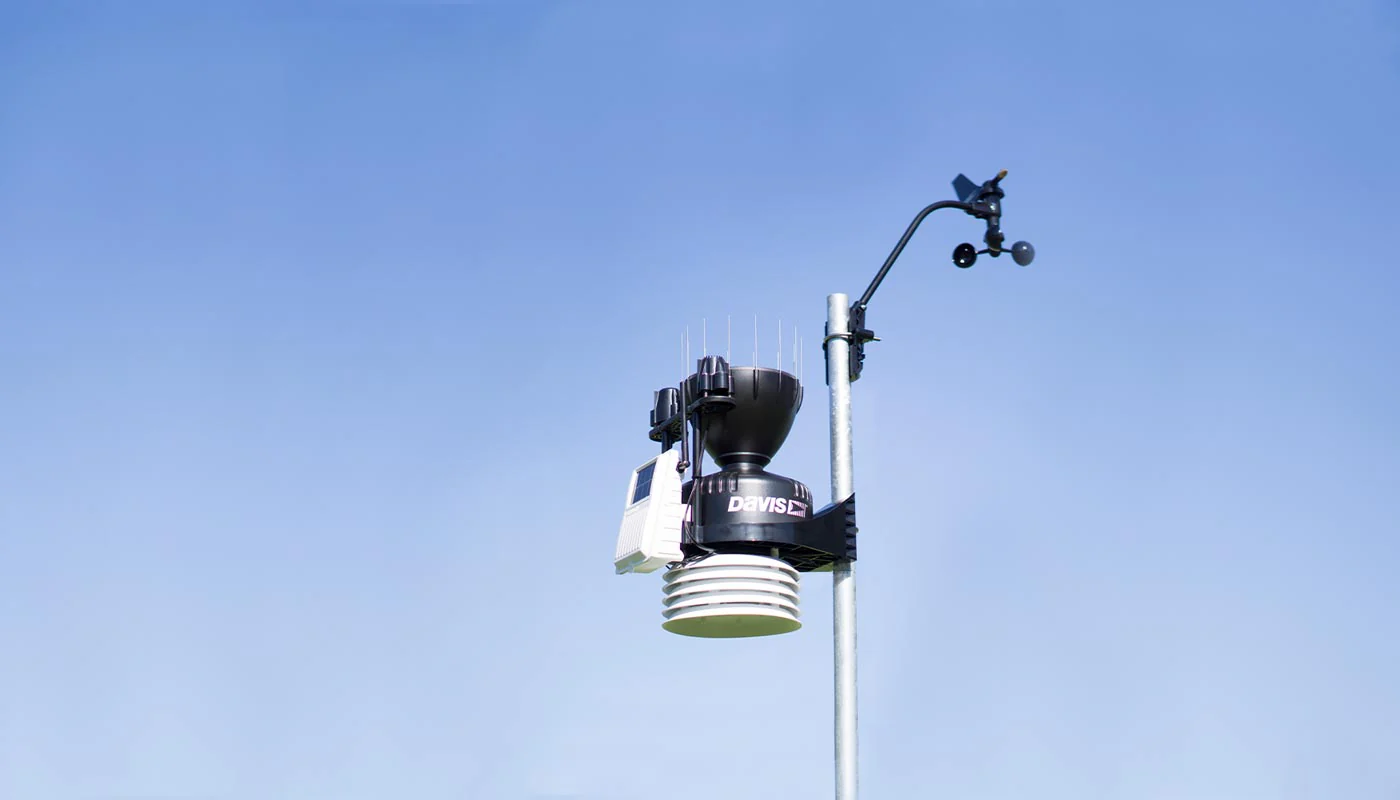
Weather is the single biggest variable in a spray decision, and the hardest one to see clearly from a tractor seat. Farmable's first weather station integration connects Davis Instruments' WeatherLink stations directly to the app, so live conditions are on the screen the moment a job starts, not estimated after the fact.
Davis was a deliberate first choice. Over 50 years and half a million stations sold, it's the most recognised weather hardware brand among growers, and many Farmable users already had one installed before this integration existed. Connecting an existing station takes minutes, not a new hardware purchase.
Why weather station data matters for compliance
A single weather observation per spray job is the minimum most compliance frameworks ask for. A connected weather station raises that bar considerably. Farmable can log conditions continuously through the whole job, not just at the start, which makes it possible to explain spray efficacy differences after the fact instead of guessing at them.
Three things change once a Davis station is connected:
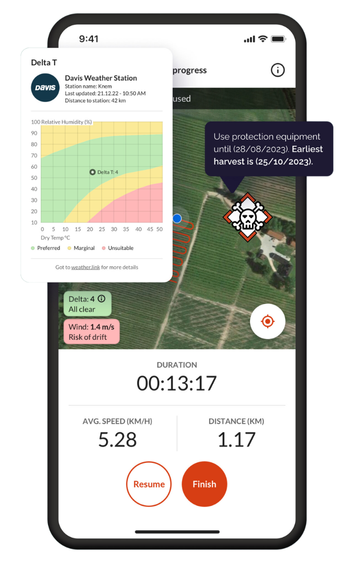
- Drift warnings in real time. Wind can shift in the minutes it takes to cross a block. With a connected station, the operator gets an immediate alert if wind speed moves into a higher drift-risk range, before it becomes a problem on the record.
- Live Delta-T. Delta-T (the gap between wet-bulb and dry-bulb temperature) is one of the strongest predictors of spray efficacy and drift risk. Farmable calculates it automatically from the station's live readings, so it's visible before and during the job, not calculated afterwards from a forecast.
- A continuous weather record, not a single snapshot. Every reading through the job attaches to the spray record automatically, giving a fuller picture for later analysis or audit than a single manual entry ever could.
How to connect a Davis station
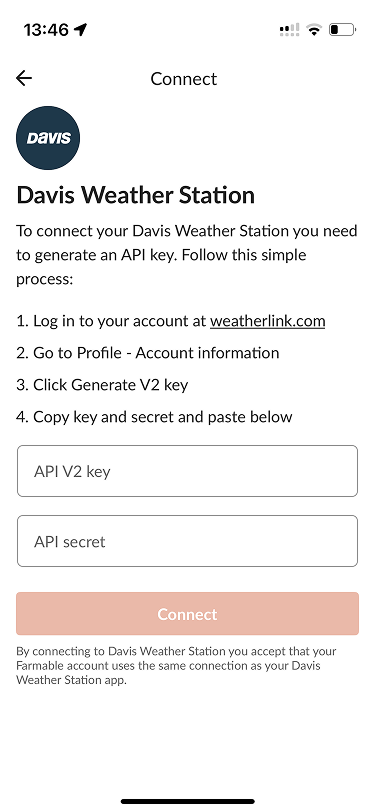
The integration is available to all Farmable Pro subscribers who connect a Davis weather station to their account. If you already have a Davis station on a WeatherLink account, connecting it takes three steps in the app:
- Generate an API Key V2 and API Secret from your WeatherLink profile.
- Open Add-ons in Farmable and paste in the key and secret.
- Every station on that WeatherLink account appears automatically on the farm map in Farmable, no per-station setup required.
Don't have a Davis station yet? It's one of three weather station brands Farmable supports out of the box, alongside Sencrop and METOS, see all three on the integrations page.
Learn more about spray records in Farmable: Spray & Fertiliser Records →
Frequently asked questions
How do I connect a Davis weather station to Farmable?
In the app, go to Add-ons and connect your Davis WeatherLink account using your API Key V2 and API Secret. Every station tied to that account appears in Farmable automatically.
What weather data does the Davis integration add?
Live wind speed and direction, air temperature, humidity, and an automatically calculated Delta-T, all attached to spray records as they're logged.
Does it warn about unsafe spray conditions?
Yes. During an active spray job, Farmable monitors live wind conditions from the connected station and warns the operator if drift risk rises.
Do I need to buy a Davis station to use this integration?
No. If you already own one with a WeatherLink account, you can connect it directly at no extra cost. If you don't, Farmable can help arrange one as part of a Pro subscription.
Related reading: Spray compliance · Product lists and integrations