
Upload your soil samples. Get an AI fertilization plan by field.
Farmable's AI analyses your soil sample results alongside your yield history and crop records, then recommends a precision fertilization plan for each field on your farm. No spreadsheets. No guesswork. Recommended nutrients, at the right rate, in the right fields. Verified pesticide list included.
Desktop web portal · Works with any soil analysis
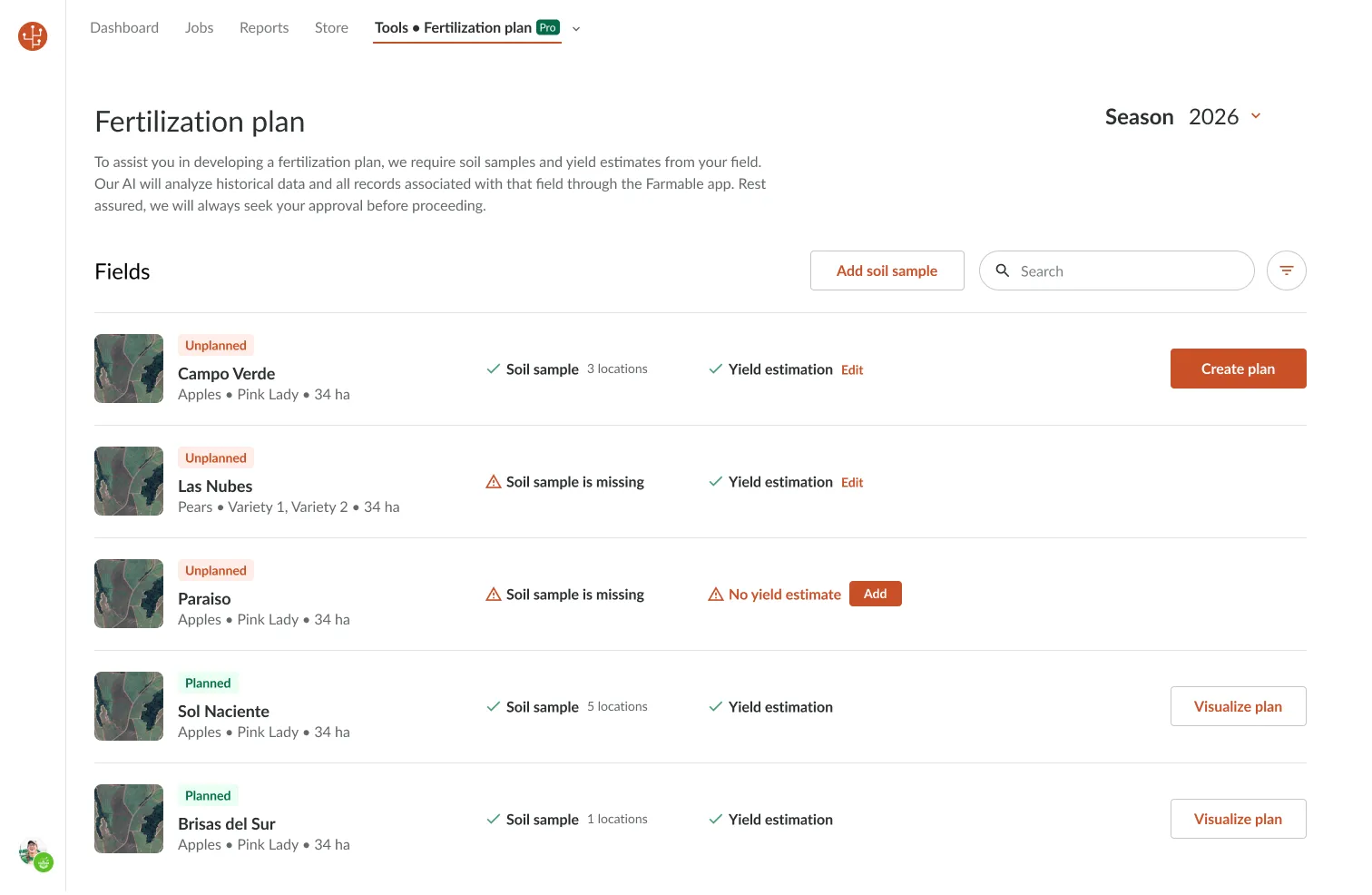
Get your soil samples working for you in just a few clicks.
Soil samples go to the lab. Results come back as a PDF. The PDF goes into a folder. Next spring, you apply the same rates as last year.
- ×Lab results that never get turned into a field-level plan
- ×Fertiliser rates based on habit, not data
- ×No connection between soil analysis, yield history and application plan
Farmable connects soil sample results, your yield history and crop records, and turns them into a recommended fertilization plan for each field. The AI does the analysis. You review and approve. The plan goes into your spray and fertiliser records automatically.
- ✓AI-recommended nutrient targets per field, per parameter
- ✓Yield estimation inputs that refine the recommendation
- ✓Fertilisation jobs created directly from the plan
How to use soil samples in your fertilization planning - in four steps.
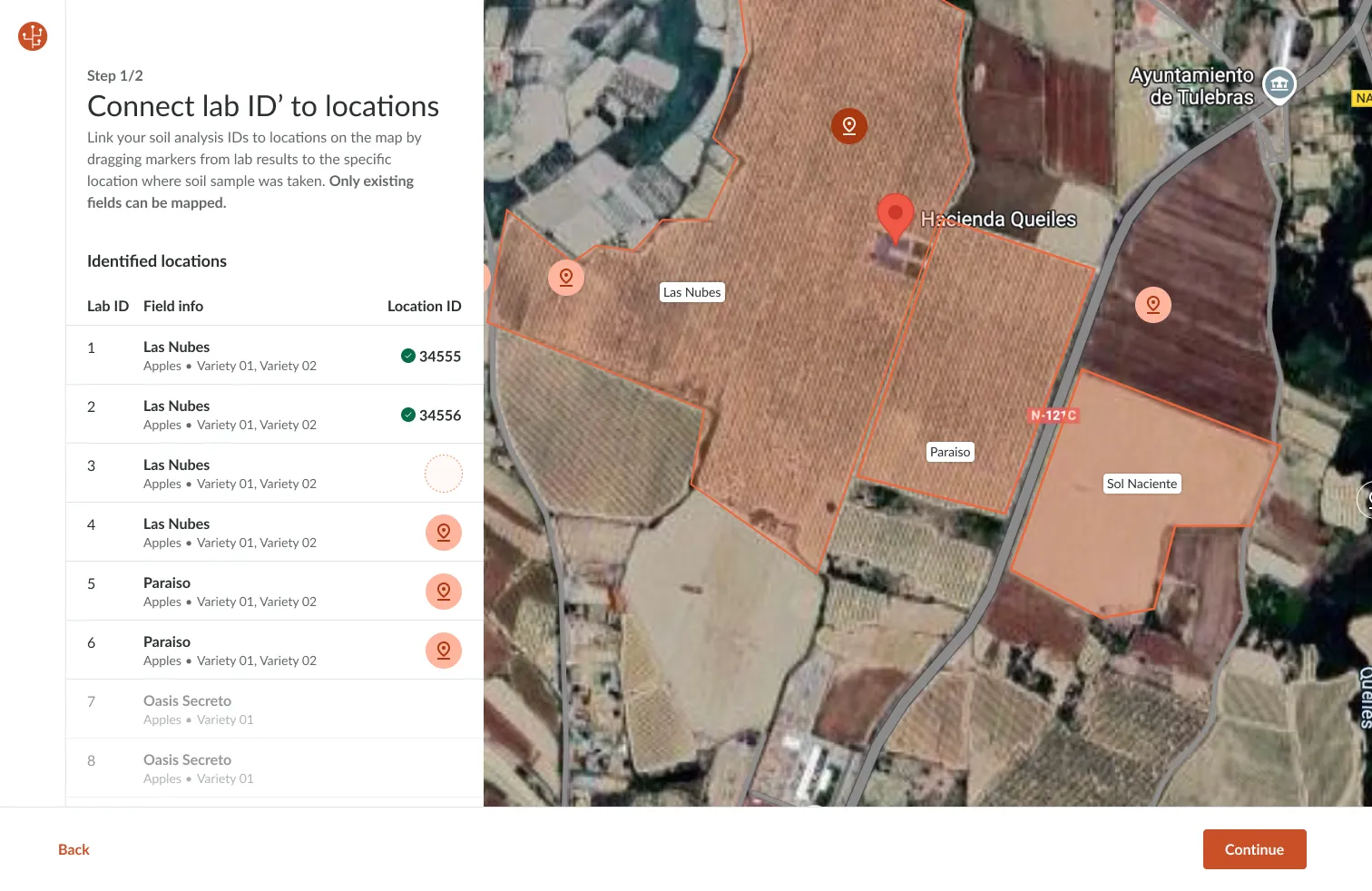
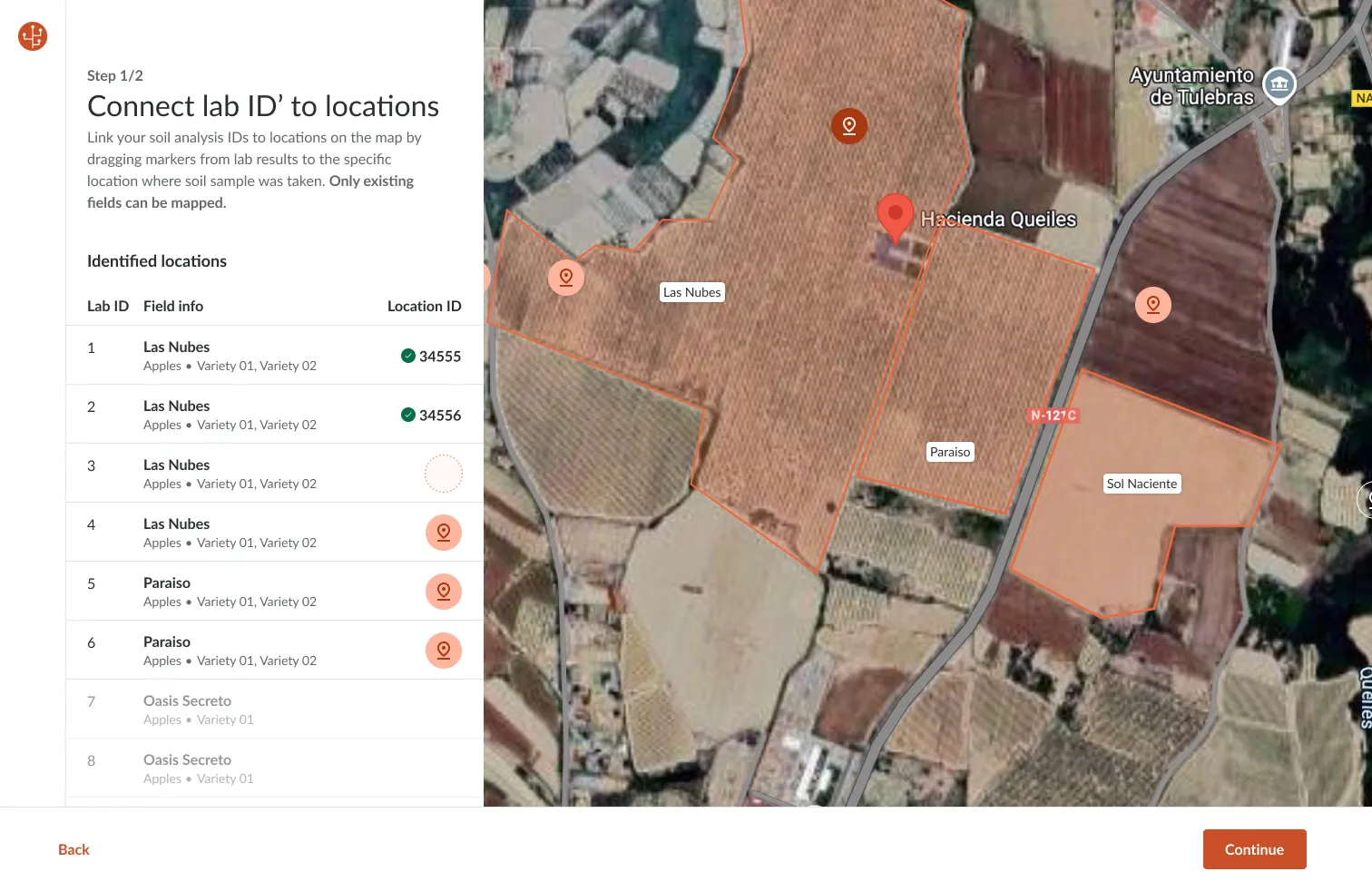
Upload lab results and connect to fields
Upload your soil analysis documentation from any accredited soil lab. Drag each lab sample ID marker onto the satellite map to pin it to the exact location where the sample was taken.
Review the soil analysis data
Confirm the soil analysis results are correctly mapped to each field. Farmable displays all parameters from your lab report - pH, mold %TS, clay content, P-AL, K-AL, Mg-AL, Ca-AL, Na-AL - in a structured table you can review before proceeding.

Use the built-in yield estimation tool (recommended)
Farmable's yield estimation tool lets you set a per-field forecast in seconds: enter the start date, harvest window in weeks, and estimated total kg. The tool plots your previous seasons' actual harvest alongside the estimate so you can sense-check it before saving, then feeds the result into the AI fertilization plan.
Fields with both soil samples and yield estimates generate the most accurate plans.

Review AI plan and create fertilisation jobs
Farmable's AI analyses your soil data, yield history and crop records and generates a recommended fertilization plan per field, with target values for each soil parameter and written management notes for any anomalies it detects. Review and adjust the targets, then approve the plan. Fertilisation jobs are created automatically in the Farmable app for your team to execute and record.
Not just your soil test. Everything your farm has recorded.

An AI fertilization plan, reviewed by you, executed by your team.
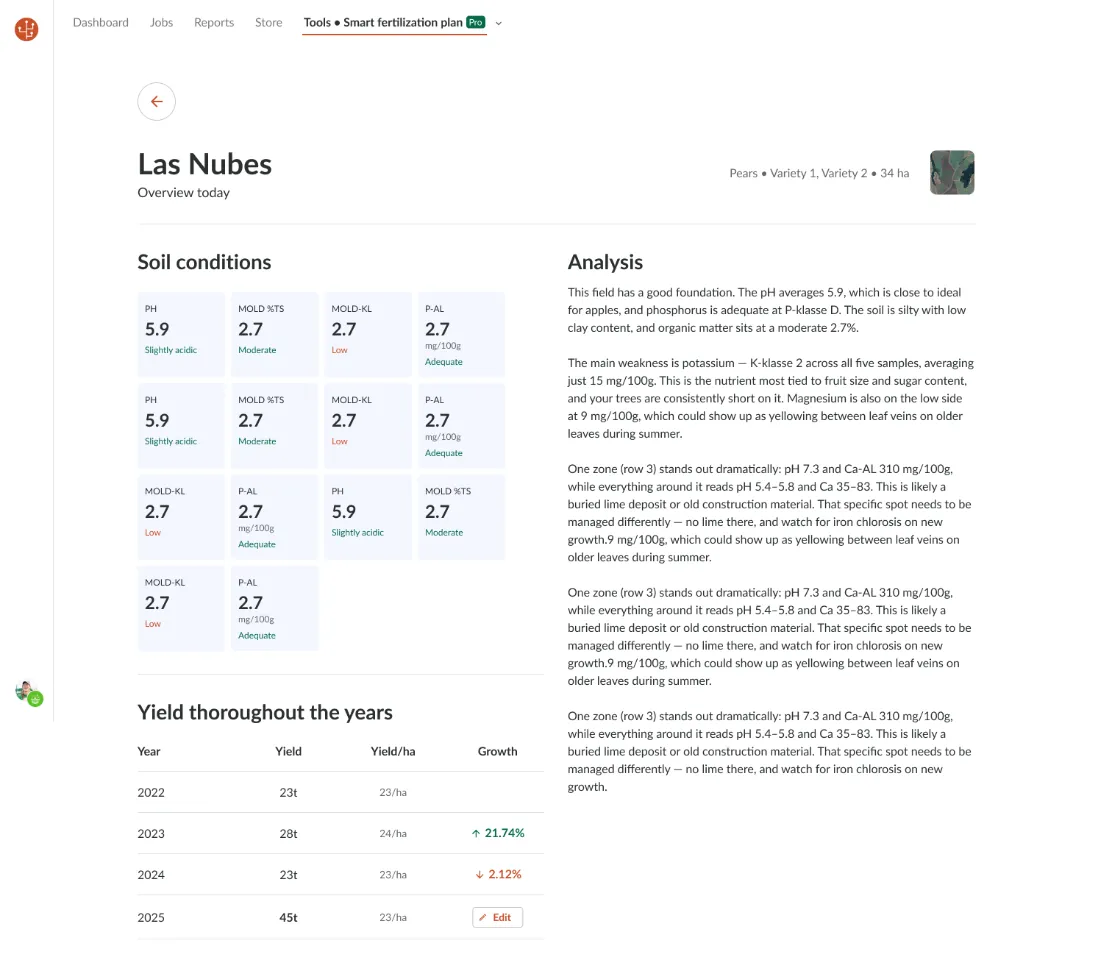
Soil conditions grid
pH, mold %, phosphorus and potassium displayed per sample location. Colour-coded status labels (Low / Moderate / Adequate) make weak areas immediately visible.
AI analysis narrative
Written management notes from the AI for each field, highlighting the key weakness (e.g. potassium deficiency), anomalous zones that need different management, and specific risks to watch for (e.g. iron chlorosis, lime deposits).
Editable target values
AI-recommended target values for each soil parameter, with current status and target status. Override any target before generating the final plan - you always have the last word.
Fertilizer products for your country. Built into the plan.
When the plan recommends correcting potassium deficiency in Block 3, Farmable doesn't just give you a number, it suggests products from your country's fertiliser registry to meet that target. You select the product, set the application rate, and the plan is created.
The plan doesn't end when you approve it.
Once you approve the fertilization plan, create each fertilisation job in the Farmable app. Your team executes the jobs in the app. Every application is recorded automatically against the field. The fertilisation record is always up to date.


Built for Growers and Agronomists
For growers
Get a precision fertilisation plan that can easily be shared to your agronomist. The AI does the analysis, you review, adjust and approve. Included in Farmable Pro at no extra cost.
For agronomists and advisors
Use Farmable's AI Fertilization Plan as part of your advisory workflow. Review soil data and AI recommendations across multiple farms from one portal. Add your own target adjustments before the grower approves the plan.
See Farmable for agronomists →
"The best part is how I can customize the app to my production, and not the other way around."
Frequently asked questions
In Farmable, you use soil samples in four steps: (1) upload the accredited lab results and drag each sample ID onto the satellite map, (2) review the structured soil analysis per field, (3) add an optional yield estimate to calibrate the recommendation, and (4) let Farmable's AI generate a per-field fertilization plan with target nutrient rates and product suggestions, which you review, adjust and approve before fertilisation jobs are sent to your team in the app.